Where's My Money: a local-first personal finance tracker
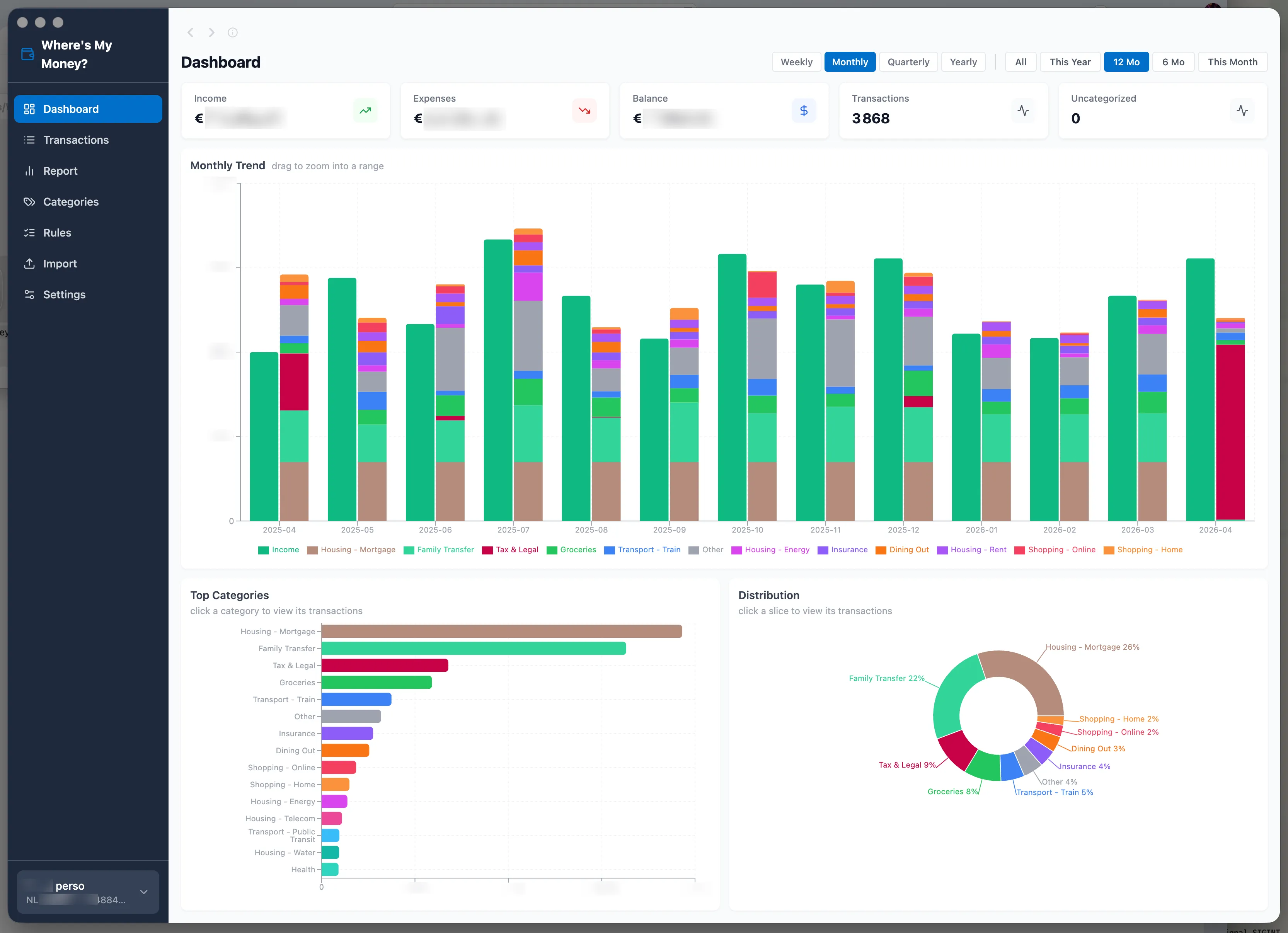
A macOS desktop app that imports bank statements, categorises transactions with pattern rules, and visualises spending. SQLite on disk, no cloud, no telemetry, no account.
The personal-finance app market splits roughly two ways: the paid ones (YNAB, Copilot) want full access to bank accounts via aggregators, and the free ones monetise the user back to credit-card companies. The middle ground — import statements, see where the money went, all locally — is thin. Where’s My Money is the app I wanted in that gap.
Local-first, no aggregator
A macOS desktop binary with SQLite on disk in the user data directory. No cloud, no telemetry, no account. rm ~/Library/Application\ Support/wheres-my-money and the data is gone.
The rest of the design follows from this constraint. Bank statements reveal where you live, where you work, what you buy, and what you can afford, and the reason to build this instead of using a hosted product is to keep that data on the machine — which means no network client talking to any server, designed in rather than bolted on.
CSV auto-detection over per-bank parsers
MT940 (the SWIFT bank-statement standard) is parsed end to end. CSV is the harder format — every bank has its own dialect, the long tail is enormous, and writing a parser per bank is a losing game. The importer auto-detects delimiter, column mapping, date format, and number separators, recognises English, Dutch, German, and French headers, and saves a per-bank profile for repeat imports. A switch statement of bank dialects would have been wrong within a month; inference handles the long tail.
Per-account currency, no conversion
I have euro accounts and a US dollar account. Currencies are display-only — no conversion, no exchange-rate drift. A wrong number on a finance dashboard is harder to recover from than a missing one, and silent FX is exactly the failure mode that produces wrong numbers nobody questions.
Browser-style back/forward
Filter state is state. Going back restores the previous filter set, date range, and scroll position — Cmd+[ / Cmd+], trackpad swipe, mouse buttons, all wired up. Nobody requests this in a product spec; it’s the kind of behaviour you notice when it’s missing and stop noticing once it’s there.
Signed and notarised builds
The signing-and-notarisation pipeline took the longest to get right and is the part I’m most glad I did. The install path “drag into Applications, double-click” is what makes an app usable; “right-click, Open, walk through Gatekeeper” is what makes it a tech demo.
Was it worth it?
The stack is Electron + Vite, Vitest for unit tests, Playwright for end-to-end, Biome for lint — none of which is interesting on its own. What was interesting was that every choice followed from a single constraint (the data must stay local), and that constraint resolved most of the design questions before they came up.
dmorel69/wheres-my-money— Electron, TypeScript, SQLite